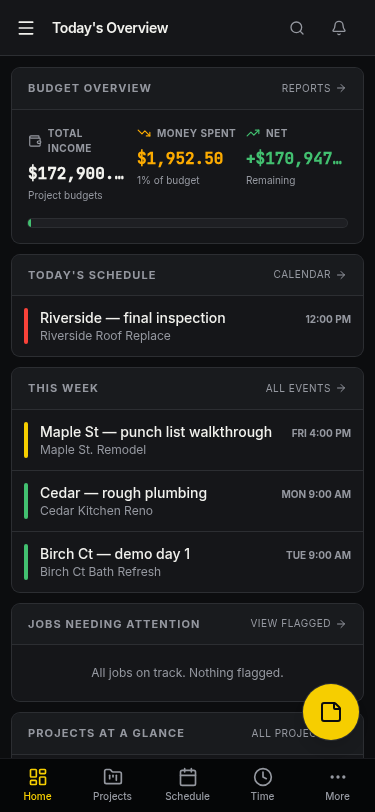
Run your jobs from your phone and desktop.
AverageBuild is the simple jobsite app for small contractors and trade crews. Projects, client invoices, crew time, photos and schedules — in one place, on your phone or laptop.
No credit card required. Add one when you're ready to keep going.
Less paperwork. More jobs done.
Built around how small crews actually work — not how desktop accounting software thinks you should.
Client invoices, line by line
Build clean invoices with line items, send them, and track which ones are still open.
Crew time by job
Log hours against the right job. See totals by day, week, and worker without a spreadsheet.
Photos attached to every job
Snap site photos from your phone — they live on the project so you can pull them up when a client asks.
One schedule the whole crew sees
Plan tasks, deliveries, inspections, and meetings by job. No more 7am phone tag.
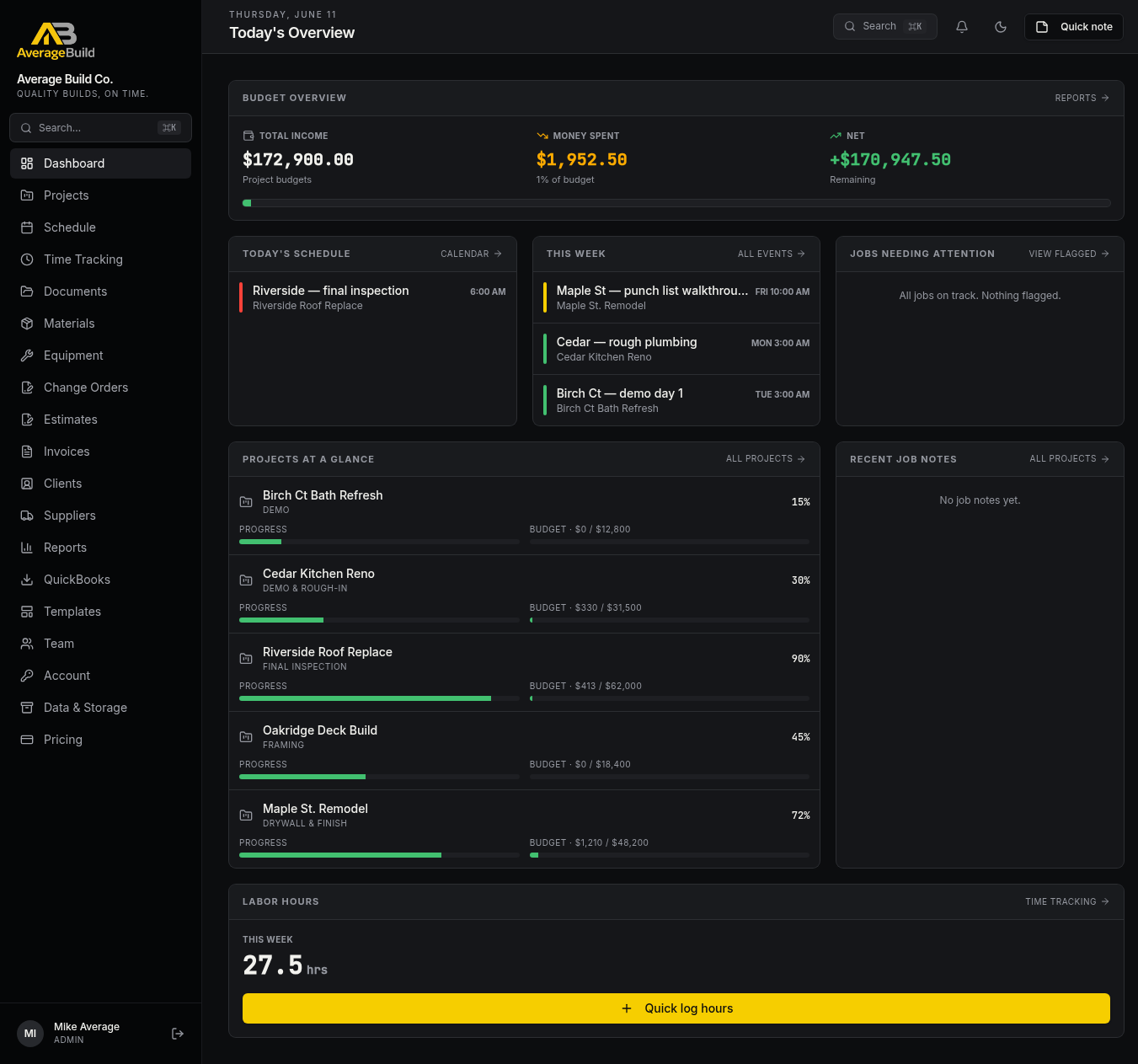
Every job on one screen.
Today's schedule, this week's work, jobs that need attention, and a quick read on every active project — without digging.
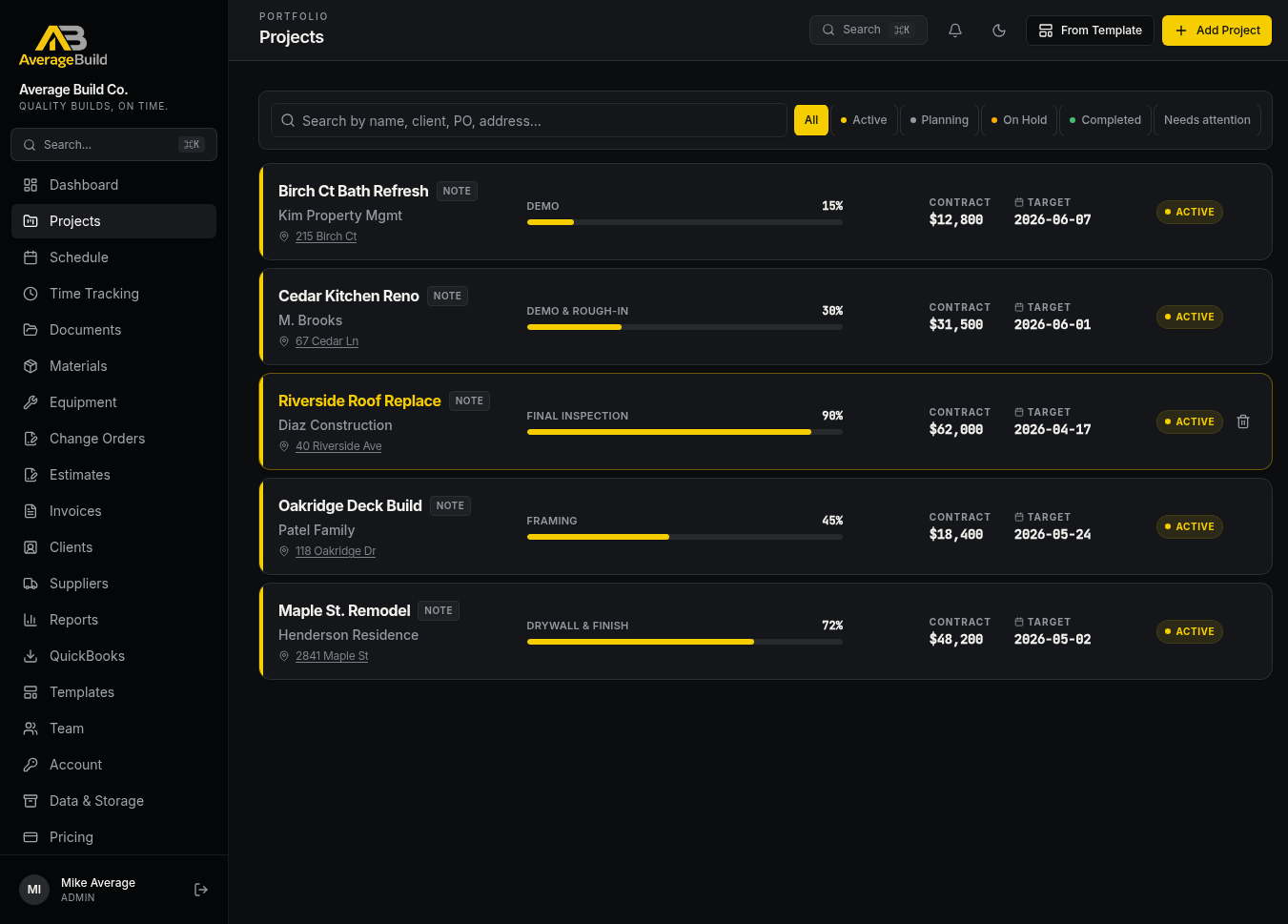
All your active jobs, sorted.
Filter by status, search by client or PO, and jump straight into the one you need. Each project has its own contract value, target date, and progress bar.
- Filter by Active, Planning, On Hold, Completed or Needs attention
- Search by name, client, PO number, or address
- Pin job notes that travel with the project
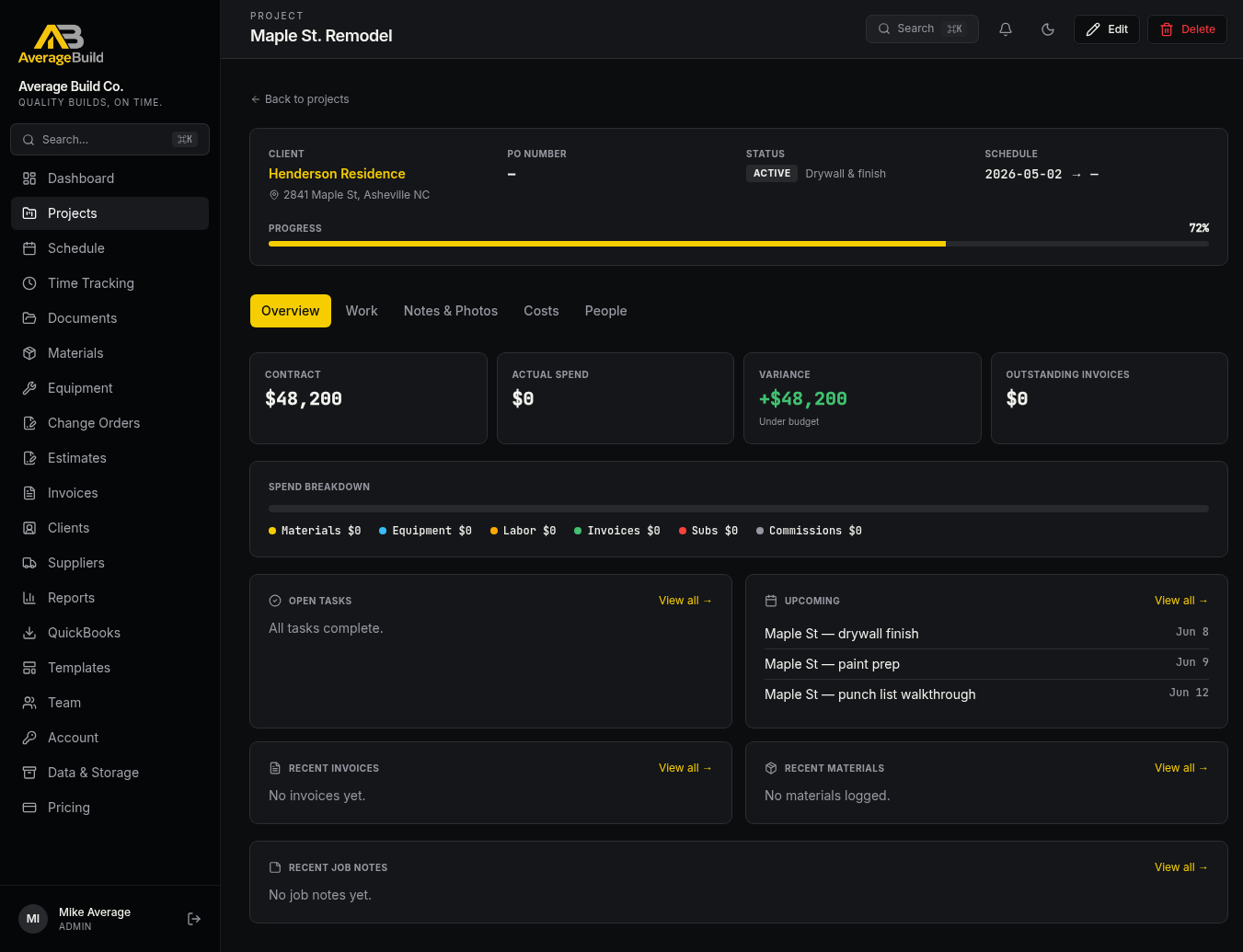
Drill into one job.
Contract vs. actual spend, open tasks, upcoming events, recent invoices and notes — all on the project page, organized into Overview, Work, Notes & Photos, Costs, and People tabs.
Bills in. Client invoices out.
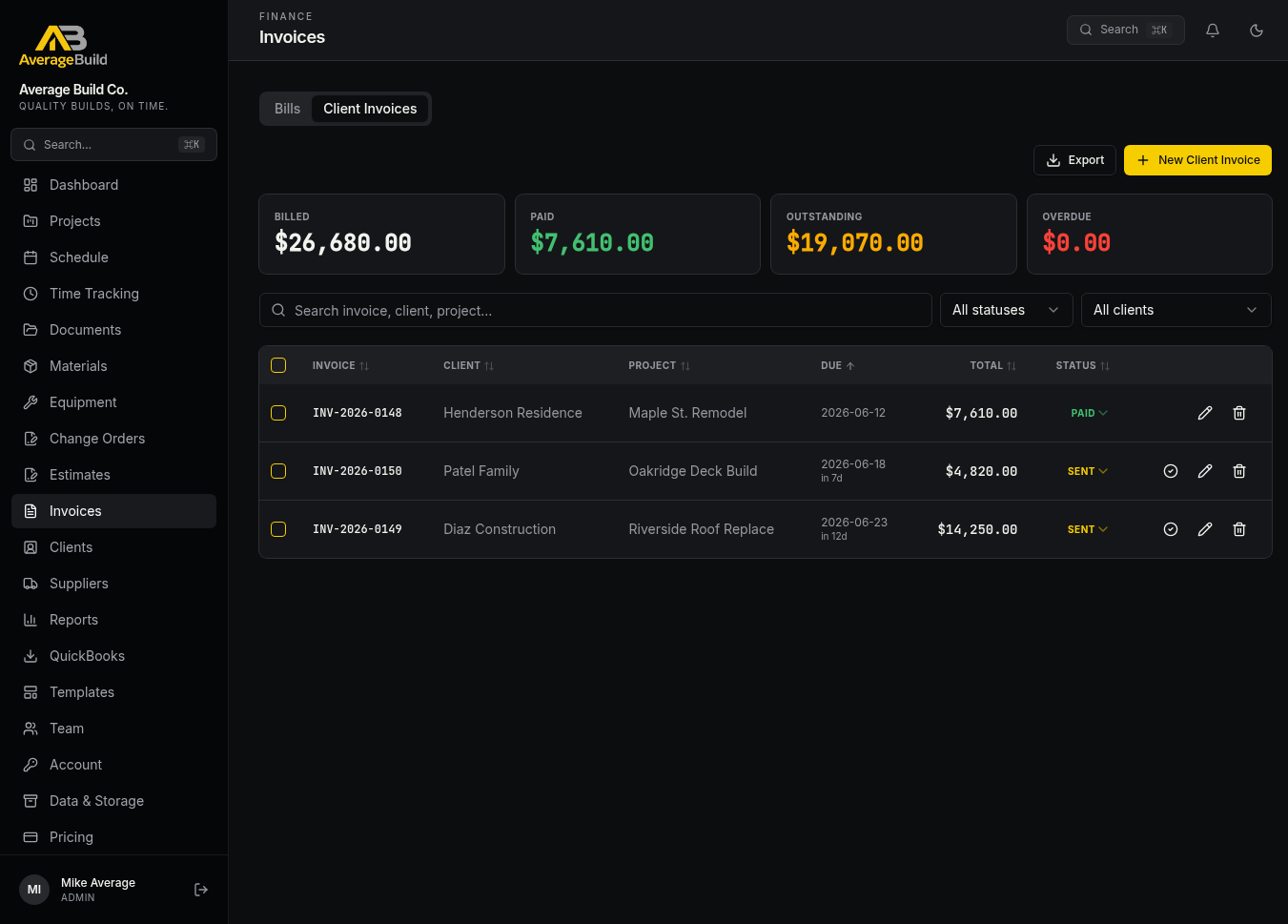
Track the money on both sides of the job. Upload supplier bills (AI pulls the line items), and send line-item invoices to your clients with running totals for billed, paid, outstanding and overdue.
- Bills tab — drag in a supplier PDF, AI extracts amounts and assigns to a project
- Client Invoices tab — line items, status (sent / paid / overdue), exportable
- Always see Billed, Paid, Outstanding, and Overdue at a glance
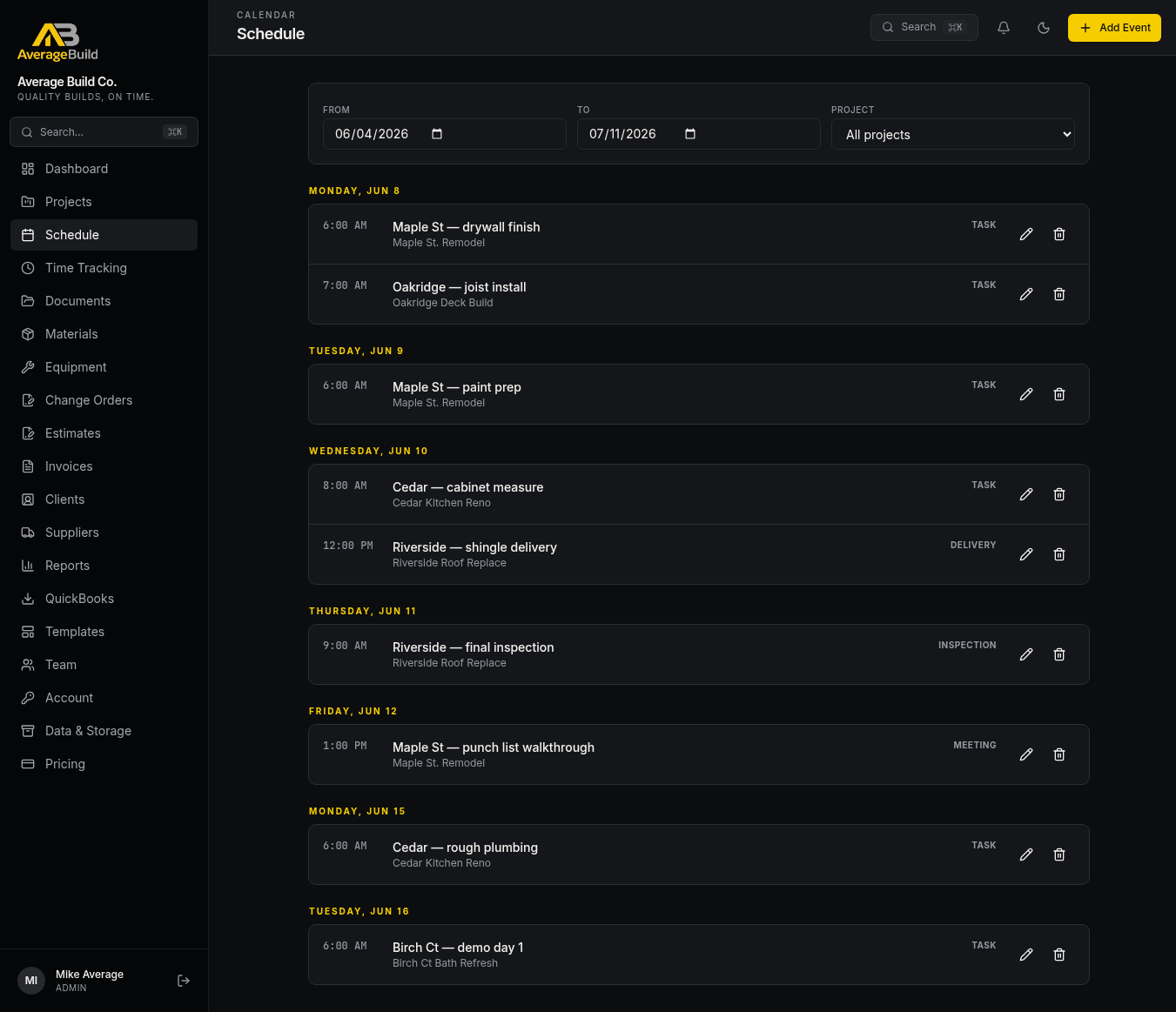
Plan the week. Share it once.
Tasks, deliveries, inspections, milestones, meetings — grouped by day, filterable by project, visible to everyone on the crew.
Crew hours, by job.
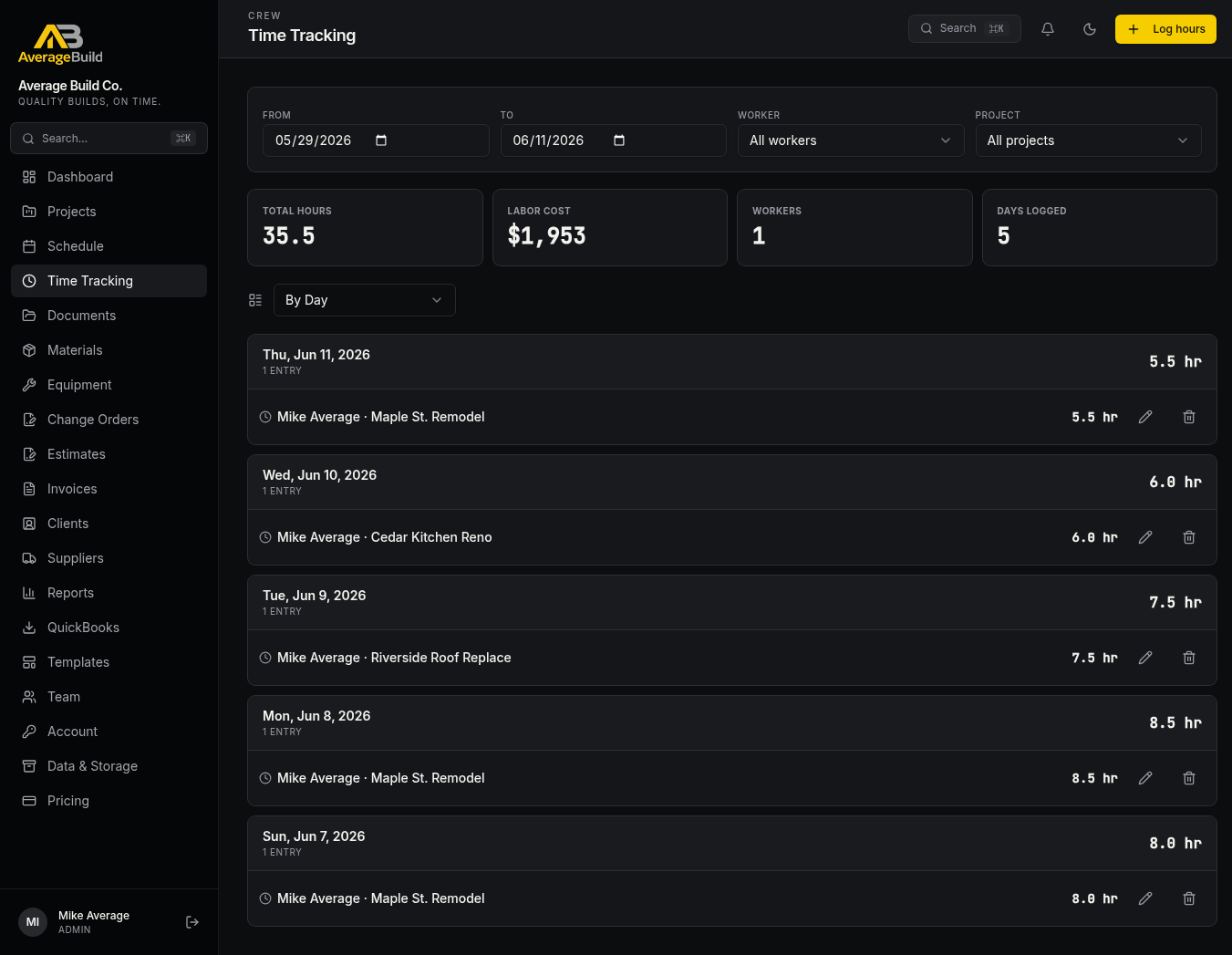
Log hours from the field. Roll up by day or week, filter by worker or project, and watch labor cost calculate itself from each worker's rate.
- Totals for hours, labor cost, workers, and days logged
- Group by day or by worker; filter by project
- Daily-cap guardrails to catch obvious entry mistakes
No need to drop what works.
Keep your existing setup for the jobs already in motion. Pick one new or active job, run it through AverageBuild, and see the difference side by side. No migration headaches, no all-or-nothing switch.
- ✓Run one job in AverageBuild while the rest stay where they are
- ✓Compare time tracking, invoicing, and photo organization head to head
- ✓If your crew likes it, move the next job over. If not, nothing lost.
- ✓All your data exports clean if you ever want to walk away
All the pieces of running a small construction shop.
Real features that ship today — not a roadmap. If it's listed here, you can log in and use it tonight.
Jobs & Schedule
Projects
Track every job with contract value, status, address, PO number, target dates, and progress.
Project detail tabs
Overview, Work, Notes & Photos, Costs, and People — everything about that job in one URL.
Tasks & punch lists
Per-project task lists and a dedicated punch-list workflow for close-out items.
Schedule
Tasks, deliveries, inspections, milestones, meetings — grouped by day, filterable by project.
Project templates
Reusable task templates so a new bathroom remodel ships with its checklist already built.
Money
Bills (AP)
Drag in a supplier PDF and AI extracts vendor, amount, date, and line items — assign to a project in a click.
Client invoices (AR)
Line-item invoices, status tracking, running totals for billed, paid, outstanding and overdue.
Estimates
Build estimates with line items, convert to invoice when the job is won.
Change orders & e-sign
Send change orders with a signature pad — clients sign on a phone in the driveway.
AI invoice scanning
Drop a supplier bill, get clean line items back. Up to 1,000 scans/month on Pro.
QuickBooks export
One-click IIF and CSV for invoices, bills, bill payments, and customer payments — line-item granular.
Reports
Cost-per-job, labor breakdowns, profit reads, and time summaries — exportable to CSV.
Field
Time tracking
Crew logs hours from the field against the right job. Labor cost rolls up using each worker's rate.
Job photos
Snap site photos from your phone — they attach to the project so you can pull them up later.
Job notes & sticky notes
Pinned notes per project plus a sticky-note overlay for quick reminders.
Works on every device
Phone, tablet, laptop — same data, same login. Crew uses the phone, office uses the desktop.
Admin & Contacts
Team & crew
Invite admins and crew, assign workers to jobs, set hourly rates, and manage permissions.
Clients & contacts
Central client list with contact info, linked projects, and invoice history.
Suppliers & materials
Supplier directory and a materials catalog with costs that pre-fill into invoices and estimates.
Equipment & fleet
Track owned equipment and rentals against jobs.
Documents
Per-project document storage for contracts, permits, plans, and inspection reports.
Role-based access
Admins see everything, crew sees their hours and jobs. Sensitive fields like hourly rates are locked down.
All of that, starting at $29 a month.
That's less than a tank of gas. Less than a single lumber run. Less than the cost of one missed invoice. Most jobsite software charges $99–$399/user/month and locks the good stuff behind enterprise tiers. We don't.
≈ $0.97/day · for the owner-operator just getting set up
- 3 team members, 15 active projects
- Estimates, invoices, time, schedule, photos
- 25 AI invoice scans / month
≈ $2.97/day for the whole company — not per user
- 15 team members, 75 active projects
- Equipment tracking + custom branding
- 200 AI invoice scans / month
≈ $6.63/day for an established contractor
- 50 team members, 500 active projects
- Advanced reports + CSV/PDF exports
- 1,000 AI invoice scans / month
Flat company pricing. No per-seat tax.
Most construction software charges per user, so adding your foreman jumps the bill by another $99. AverageBuild gives you one price for the whole crew — invite everyone, run every job, never get penalized for hiring.
"We built AverageBuild because every jobsite tool we tried felt like it was designed by people who'd never been on a jobsite. Every screen here exists because a real crew asked for it — and if something's in your way, tell us and we'll fix it."
Try it on a real job this week.
Bring one job into AverageBuild — projects, crew time, photos, invoices — and see if it earns its keep. If not, walk away. Your data exports clean.
- Works on iPhone, Android, and any laptop
- Your data is yours — export anytime
- 14-day free trial — no credit card required
- Built for small contractors and trade crews